
Each of the Custom Field labels on objects like Order Headers, Purchase Orders, Items, Locations, etc. can be assigned a label. If assigned, the label will be displayed instead of the value "Custom Field#" in any of the grids in WOS Manager.
Note: The History Log will continue to show "Custom Field#" because that custom field could be the item, order, etc. depending on the record type.
Triggers and API calls will list the fields as "Custom Field#" regardless of Custom Labels that were setup.
Add or Update Custom Labels
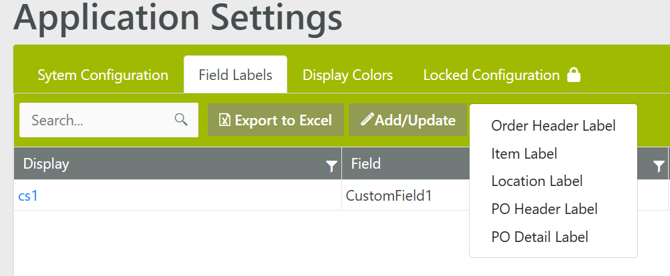
- Go to Admin -> Settings -> Field Labels
- Click on Add/Update and select the type of Custom Label
- Fill the empty labels or edit existing labels
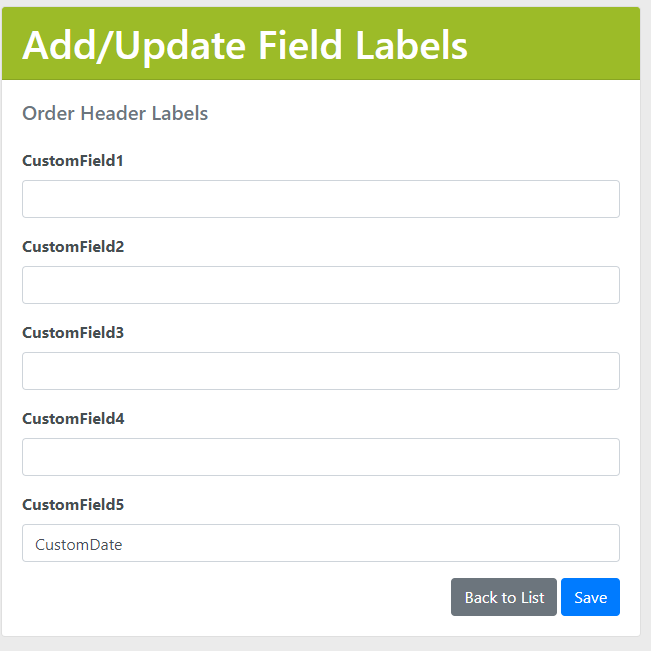
- Click Save
Delete Custom Label
- Go to Admin -> Settings -> Field Labels
- Click on the Display value for the label to be deleted
- Click Delete
- When the confirmation page loads, click Delete again